Looking for a Superwhisper alternative on Mac? See how Viora compares on dictation, pricing, privacy, and voice AI workflows, plus how to switch.
Reviewed by the Viora team. We checked the comparison against official vendor pages, pricing pages, privacy materials, and Viora product pages. We name Viora as the publisher because we make one of the products being compared.
Speak. Viora picks up the rest.
Let voice become the most natural connection
between you and your Mac.
Free Download30-day free trial · no credit card required
By the Viora team - Published April 27, 2026 - Revised June 24, 2026.
Choose Viora if you work mainly on a Mac and want voice to do more than type text. Viora is a cloud-assisted voice AI assistant for macOS. It can write into the current app, edit selected text, answer with nearby context, and run small agent-style tasks.
Choose Superwhisper if offline transcription, local model choice, cross-platform support, or a one-time Lifetime license is more important. Superwhisper is a voice-to-text app for macOS, Windows, and iOS. Its official pages describe offline app processing, local and cloud voice models, custom modes, and Pro pricing with monthly, yearly, and Lifetime options.
There is no universal winner. The right choice depends on your platform, privacy needs, model needs, price preference, and whether you want voice-to-text or voice-to-workflow.
Viora positions itself around Mac voice AI workflows, not only transcription.
Viora vs Superwhisper: Viora is a Mac-first voice AI assistant for writing, editing, asking, and small agent tasks. Superwhisper is a voice-to-text product for offline and cloud dictation across Mac, Windows, and iOS. Compare Viora when you want voice workflows on macOS. Compare Superwhisper when you want offline support, model choice, or a one-time purchase.
Viora is built around Mac work. Its public pages describe one hold-to-talk shortcut for voice input on macOS. The goal is not only to transcribe speech. The goal is to turn spoken intent into useful work.
Viora is the better fit when these points matter:
You live on macOS.
You want voice to work in the current app.
You want to edit selected text by voice.
You want to ask about nearby or selected context.
You want small agent-style tasks, such as search, calendar lookup, or connector workflows when supported.
You want a Mac-native UI such as Capsule and Agent Card.
Viora is also useful for rough first drafts. You can speak messy thoughts, then let Viora clean filler words, punctuation, capitalization, restarts, and tone. The voice dictation for macOS page describes this as a simple loop: hold the hotkey, speak naturally, and release to insert polished text.
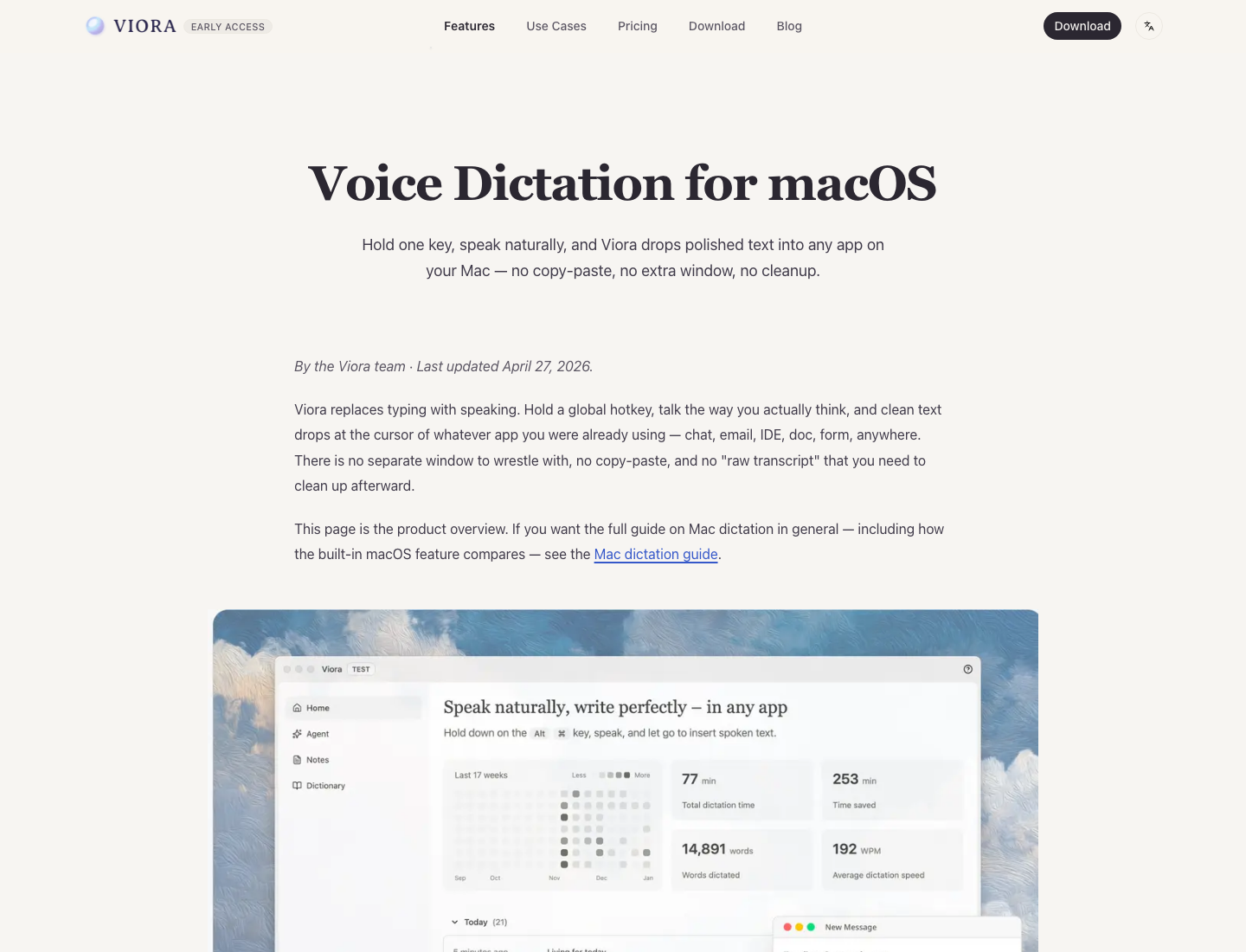
Viora's dictation page shows the Mac-first loop: hold one key, speak naturally, and insert polished text into the current app.
Viora is not the right fit if you need Windows, iOS, Android, offline-only transcription, local Whisper models, bring-your-own LLM keys, or a one-time Lifetime license today.
Superwhisper is a stronger fit when the main job is voice-to-text with more control. Its official pages list macOS, Windows, and iOS. They also describe custom modes, local voice models, cloud voice models, provider token support, and a Pro license that works across supported Apple and Windows devices.
Superwhisper is the better fit when these points matter:
You need offline app processing for sensitive dictation.
You want to choose local or cloud voice models.
You want custom modes and custom vocabulary.
You want to use supported provider tokens.
You need voice-to-text on Mac, Windows, iPhone, or iPad.
You prefer a one-time Lifetime license over a subscription.
The checked Superwhisper pages mostly frame the product around dictation, formatting, model choice, custom modes, and device coverage. That is a strong fit for people who want voice-to-text first.
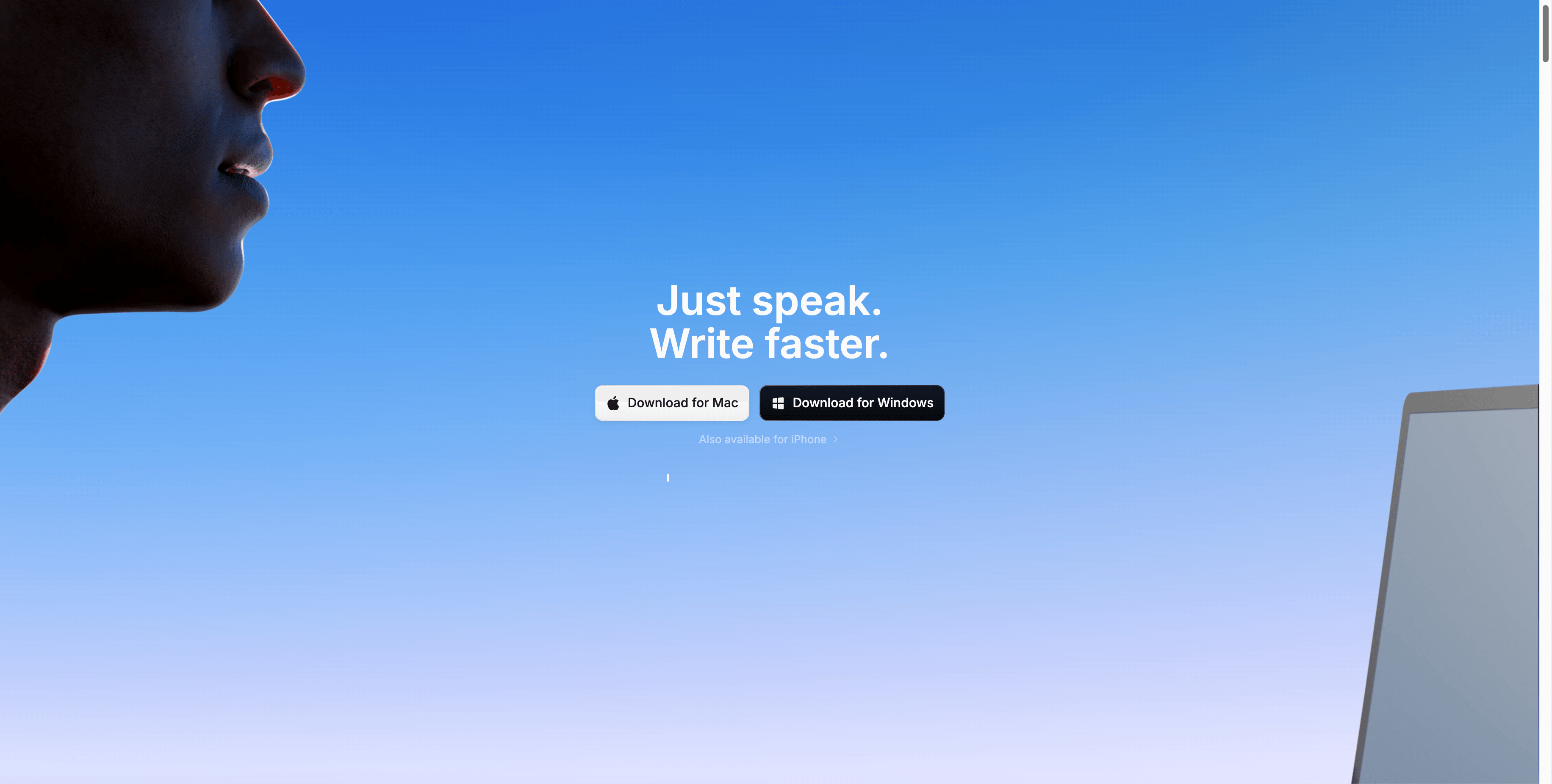
Superwhisper's homepage shows its voice-to-text positioning.
Writes polished text into the focused Mac app or text field
Writes transcribed and formatted text into supported apps
Editing
Selected-text editing is part of Viora's public workflow
Custom modes and formatting controls are listed
Context
Uses selected text, app context, and supported workflow context
Modes can format or transform transcripts based on user setup
Cleanup
Cleans punctuation, capitalization, filler words, restarts, and tone
Formatting modes and AI processing are listed
Agent tasks
Viora comparison pages describe small agent-style tasks such as search, calendar lookup, and connector workflows
Checked pages focus on dictation, formatting, modes, models, and file or app workflows
Local transcription
Not supported today
Local voice models and offline app processing are listed
Cloud transcription
Managed Viora transcription pipeline
Cloud voice models are listed
Bring your own keys
Not listed for Viora today
Supported API token options are listed
Cross-platform use
macOS only today
macOS, Windows, and iOS are listed
Team use
Public Free/Pro plan copy is individual-focused today
Enterprise business controls are listed
The key difference is the center of gravity. Viora is a Mac voice AI assistant. Superwhisper is a configurable voice-to-text product. Both can help you type less. They solve different jobs after speech becomes text.
Pricing changes often. Re-check both websites before buying. Viora pricing was re-checked against official public pages on June 24, 2026. Superwhisper pricing was checked on June 14, 2026.
Pricing point
Viora
Superwhisper
Free plan
Viora public pages list a free tier on the fast model with allowance-based usage, not a fixed word count
Superwhisper public docs list a free trial
Paid plan
Viora public pages list Pro at $15/month, billed monthly, on the more capable model
Superwhisper Pro is listed at $8.49/month or $84.99/year
Lifetime
No public Viora Lifetime license today
Superwhisper Lifetime is listed at $249.99
Team plan
Viora public plan context does not list team billing or admin controls today
Superwhisper enterprise pages list custom business options
Do not read this table as "cheaper" or "better." It is only a plan snapshot. Viora and Superwhisper package different jobs.
Viora Privacy Policy says Viora is cloud-assisted. Audio, text, and relevant context may be sent to Viora backend systems. For large-model processing, Viora says Desktop task content is limited to Fireworks AI. Viora also says it does not sell user data and does not use voice or text to train models. Privacy Mode reduces persistence for supported new tasks, but it does not make transcription fully local.
Superwhisper's checked official pages describe offline app processing and local model options. They also describe cloud paths. This means you should not treat every Superwhisper workflow as local-only. The exact privacy result depends on the app path, selected model, and selected provider.
If regulated work matters, do not decide from a headline claim. Verify the current privacy policy, data processing terms, enterprise contract, retention controls, and the exact model path your team will use.
Viora is macOS-only today. Public pages list Apple Silicon and Intel Mac downloads. If your work happens mainly on a Mac, that focus can be a good thing. The product can stay close to Mac apps, selected text, and the current text field.
Superwhisper supports more platforms based on the checked public pages. It lists macOS, Windows, and iOS. Its Pro docs say one Pro license works across Mac, Windows, iPhone, and iPad. That makes Superwhisper a better fit when your day moves between desktop and mobile devices.
Viora uses a managed pipeline. This keeps setup simple. You do not pick local Whisper variants, cloud speech models, or LLM keys. That is useful if you want the app to decide the path and return useful output quickly.
Superwhisper gives users more control. Its official docs list local voice models, cloud voice models, custom modes, custom vocabulary, speaker separation, and supported provider token options. That is useful if you want to tune your dictation system and you are comfortable managing the setup.
This is where Viora differs most. Viora is designed for spoken tasks like "rewrite this," "answer from this context," or "turn this into a short reply." In supported workflows, voice can also move into small agent-style actions.
Superwhisper can route a transcript through modes and AI processing. That is useful for formatting, rewriting, and custom text outputs. It is not the same as a Mac voice assistant that treats speech as a workflow command.
Sign in and start. Dictation works right away, so you do not need much setup.
Pick your hold-to-talk shortcut. Hold the key, speak, then release to insert text.
Try voice in your real apps. Speak a rough message, then let Viora clean filler words, punctuation, and tone.
Go past dictation. Select text and ask Viora to rewrite or edit it. Ask about nearby context. Run small agent-style tasks when supported.
Know the trade before you switch. Viora is macOS only today. It does not run local Whisper models, it is not offline only, and it has no Lifetime license. If you depend on offline transcription, local model choice, Windows, or iOS, Superwhisper is still the better fit. If you mainly work on a Mac and want voice to write, edit, ask, and do, Viora is the stronger day-to-day tool.
Yes, Viora can be a Superwhisper alternative for Mac users who want voice AI workflows beyond dictation. Viora is not a full replacement if you need local models, offline-only transcription, Windows, iOS, or a Lifetime license.
Viora focuses on Mac-first voice AI workflows: write, edit, ask, and do small tasks. Superwhisper focuses on configurable voice-to-text with offline app processing, local and cloud model options, modes, and cross-platform support.
No. Viora is cloud-assisted. Its privacy materials say audio, text, and relevant context may be sent to Viora backend systems. Privacy Mode reduces persistence for supported new tasks, but it does not make transcription fully local.
Superwhisper's official pages list offline app processing and local model options. They also list cloud options. Check the exact model path you plan to use before treating a workflow as local-only.
Superwhisper supports more platforms based on the checked public pages. Superwhisper lists macOS, Windows, and iOS. Viora is macOS-only today, with Apple Silicon and Intel Mac builds listed publicly.
Superwhisper lists 100+ languages. Viora lists 28+ languages. If broad language coverage is the main need, Superwhisper has the stronger public language claim. If Mac workflow depth matters more, language count may not be the main decision point.
No. Viora public pricing is subscription-based today. Superwhisper lists a Lifetime license. Re-check current pricing before buying because prices and plan terms can change.
Do not choose from a broad privacy claim. Viora is cloud-assisted and says it does not train on voice or text. Superwhisper lists offline app processing and local models, but also cloud paths. For regulated work, verify the exact policy, contract, model path, and retention terms.
Superwhisper references for this comparison include official public pages:
Superwhisper homepage and pricing for supported platforms, 100+ languages, Pro pricing language, cloud/local model language, own API key support, Enterprise claims, and Intel Mac offline caveats.
Superwhisper offline transcription for on-device processing, offline workflow, no-upload language, local model sizing, and the note that cloud tools on the site are not offline.
Superwhisper Privacy Policy for policy-level privacy claims and terms that should be rechecked before regulated use.
These links keep the comparison tied to vendor-published claims. This page does not use affiliate links and is not a neutral review site; Viora publishes it and makes one of the products being compared.